
55+ Free Printable Change Order Templates (MS Word, Excel)

A change order template is an essential document used in project management to outline changes to a projects original scope. Whether you are handling construction scope changes, tracking project modifications, or formalizing client requests, these free templates give you a professional starting point in Word, PDF, and Excel formats.
Download Free Change Order Templates
📄 Word & DOC Change Order Templates
Fully editable Word templates for agencies, contractors, consultants, service businesses, and schools. Customize with company name, project details, and scope changes.
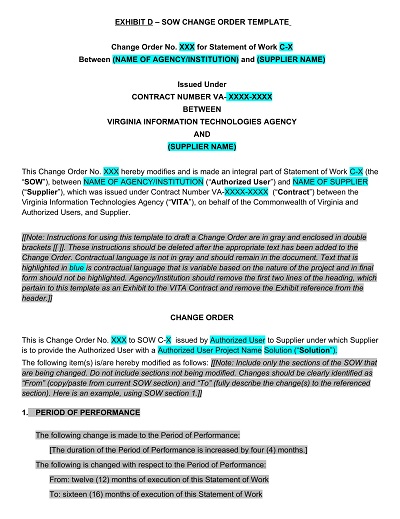
Agency Change Order Template
Format: DOCX
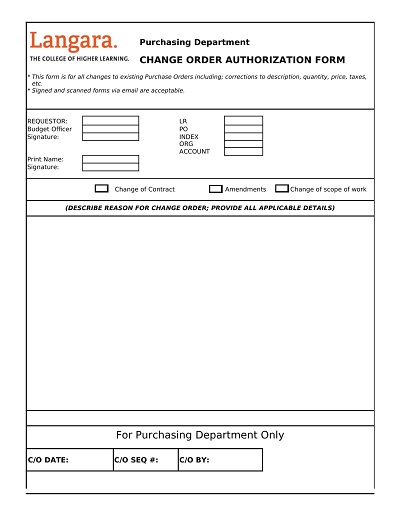
Change Order Authorization Form Template
Format: DOCX

Change Order for Construction Cleanup Template
Format: DOCX

Change Order for Service-based Businesses
Format: DOCX

Consultant Change Order Form Template
Format: DOCX

Dining Hall Change Order Form Template
Format: DOCX

Document Project Change Order Form
Format: DOC

Order Change Request Template
Format: DOCX

Purchase Order Change Order Form
Format: DOCX

Sample Contract Change Order Template
Format: DOCX

School Change Order Template
Format: DOCX

Simple Document for Change Order Form
Format: DOCX

Subcontractor Change Order Template
Format: PDF

Transportation Change Order Template
Format: DOCX
📑 PDF Change Order Templates
Print-ready PDF change order forms covering construction, engineering, medical, and general project use. Download and fill in by hand or with a PDF editor.

Basic Change Order Process Template
Format: PDF

Blank Change Order Form Template
Format: PDF

Change Order Construction Form Template
Format: PDF

Change Order Form Template PDF
Format: PDF

Change Order Summary Sheet Template
Format: PDF

Change Work Order Form Template
Format: PDF

Construction Change Order Template
Format: PDF

Contractor Change Order Form Template
Format: PDF

Engineering Change Order Form Template
Format: PDF

Extra Work and Change Order Agreement
Format: PDF

Medical Change Order Form Template
Format: PDF

One-page Change Order Template
Format: PDF

Printable Blank Change Order Form
Format: PDF

Printable Change Order Request Form
Format: PDF

Request to Change Bank Order Form
Format: PDF

Sample Construction Change Order Form
Format: PDF

Sample Engineering Change Order Form
Format: PDF

Sample Field Change Order Form Template
Format: PDF

Sample Job Change Order Form
Format: PDF

Sample Work Change Order Form PDF
Format: PDF

Scope of Work Change Order Template
Format: PDF

Simple Project Change Order Request Template
Format: PDF

Standard Change Boot Order Template
Format: PDF

Subcontractor Change Order Form Sample
Format: PDF
📊 Excel Change Order Templates
Spreadsheet-based change order templates for projects with multiple line-item changes. Includes fields for cost tracking and approval status.

Change Log Order Template Excel
Format: XLS

Contract Change Order Template
Format: XLS

Contract Summary Change Order Template
Format: XLS

Facility Planning Change Order Template
Format: XLS

Project Change Order Request Form
Format: XLS

Simple Change Order Template
Format: XLS
What is a Change Order Form?
In the world of construction, change is inevitable. Plans often shift, timelines change, and unforeseen challenges arise. That’s where change order forms come in. A change order form is a document that outlines modifications to a construction project’s original plan.
This could include changes to the scope of work, materials, timeline, or budget. These forms are essential for ensuring all parties involved in a construction project are on the same page. While change orders may cause delays and extra costs, they are necessary to manage unexpected challenges and ensure the project’s success.
Components of a Change Order
When embarking on a construction project, there may come a time when you need to modify the initial plan. This is where a change order comes in. Change orders detail any alterations made to the original contract agreement. They typically include important information such as the date the change order was issued, the reason for the change, and the impact it has on the timeline and budget of the project.
Additionally, change orders may list the specific materials or services that need to be adjusted along with any corresponding costs. Implementing a change order requires proper communication and agreement between the contractor and client to ensure that all parties agree. Knowing the components of a change order can help you easily navigate any changes that arise during your construction project.
Change Order vs. Change Request
When managing a construction project, making changes to the original plan is inevitable. Change is an inherent part of the process, whether it’s a new design or unforeseen challenges. However, it’s important to distinguish between a change order and a change request. A change order is a formal document that outlines the changes that need to be made and the impact they will have on the overall project.
On the other hand, a change request is a less formal way of suggesting changes to the plans. While both can be effective, a change order provides a more comprehensive approach to managing changes. As a project manager or construction professional, understanding these two terms’ differences is crucial to ensuring a successful outcome.
Understanding Change Orders in Project Management
Project management is a dynamic field that requires flexibility and adaptability. Change orders are a natural part of the project management process and can occur for various reasons, such as changes in scope, unforeseen circumstances, or evolving project requirements. Understanding change orders is vital to ensuring project success.
It enables project managers to respond quickly and efficiently to changes, minimizing delays and cost overruns. Change orders also allow stakeholders to collaborate and communicate effectively, ensuring everyone is on the same page. By understanding change orders, project managers can drive project success and ensure their projects are delivered on time and within budget.
Benefits of Change Order
Change orders can be a daunting addition to any construction project, but they can also be a valuable asset. These requests for modifications can provide numerous benefits, including increased efficiency, budget control, and improved project management. Change orders can help ensure that unexpected issues, such as unforeseen site conditions or design concerns, are addressed promptly and efficiently.
This, in turn, can lead to a smoother construction process, reduced project delays, and, ultimately, cost savings. Additionally, change orders can provide an opportunity for communication and collaboration between the project team, allowing for better decision-making and a more cohesive approach to accomplishing project goals. While change orders may not always be welcome, they can be valuable in achieving a successful construction project.
How to Create a Change Order Template
Efficient project management demands that the team has an organized way to manage any changes to the initial plan. Change orders help teams track modifications to the scope of a project, timelines, costs, and resources needed. However, managing change orders can be daunting because they are often unstructured, confusing, and time-consuming. One effective way to streamline this process is to create a template. Let’s dive into why creating a customized change order template is essential and how you can create one.
Understand What Your Change Order Template Needs To Have
Start by understanding what aspects of your process can be streamlined by the change order template. A template should be able to serve various stages of the project life cycle, such as initiation, planning, execution, and project closure. Determine the types of modifications that will trigger your team to initiate a change order and what level of approval is needed. Identify who will be responsible for the change request and how communication will be established with stakeholders about changes made.
Design Your Template
Once you have established what needs to be included in the template, draft a design that works for your team. Consider your team’s communication preferences, such as a paper copy or an online version, easy accessibility, and recording methodology. Your change order template should be user-friendly, including easy-to-use fields for documenting change requests.
Get Buy-in From Your Team
Make sure the change order template is something the team is comfortable with using. It would help if you had everyone on board with using the template, making updates, and sending notifications to the responsible parties. Explain the benefits of implementing a change order process and review each step to ensure everyone knows what is expected.
Include Training
Once your team agrees, provide training on the change order template. Schedule separate training sessions for different users, as they will have varying roles and responsibilities. The training sessions could be in person, online, or through a tutorial video. Ensure that team members know how to fill out the template, how to communicate, who approves changes, and where to find the template.
Review and Modify Your Template
The last step in creating a change order template is regularly reviewing and modifying it. The feedback provided by different users will help identify areas that need improvement. Take note of the frequently asked questions and modify the change order template accordingly.
Frequently Asked Questions
What is a change order?
A change order is a written amendment to a construction or service contract that formally documents any changes to the original scope of work, cost, or timeline. Both parties must sign it before the change takes effect.
When should a change order be used?
A change order should be issued whenever the client requests work outside the original contract scope, when unforeseen site conditions require additional work, or when materials or methods need to change from what was originally specified.
What should a change order include?
A change order should include the project name and original contract number, a description of the change, the reason for the change, the adjusted cost (addition or deduction), the revised timeline or completion date, and signatures from both the contractor and client.
Is a change order legally binding?
Yes. A signed change order is a legally binding amendment to the original contract. It protects both parties by clearly documenting what was agreed, preventing disputes over scope creep or additional charges.
Can I create a change order in Word or Excel?
Yes. Download one of the DOCX or XLSX templates above, fill in the project and change details, and get it signed by both parties. For recurring projects, the Excel version lets you track multiple change orders with running totals.