
45+ Employee Attendance Tracker Templates [Excel, PDF]

Employee attendance tracking sounds simple until you’re managing a team of twenty and trying to figure out who called in sick last Tuesday, who’s used their vacation days, and whether the monthly report actually adds up. A well-structured attendance tracker template takes that guesswork out of the equation. Download one of our free employee attendance tracker templates below in Excel, XLS, or PDF format and start tracking presence, absences, leaves, and tardiness in a format your whole team can use.
Download Free Employee Attendance Tracker Templates
🗓️ Daily & Weekly Attendance Templates
Track day-to-day presence and absence with these daily and weekly formats. Each includes columns for employee name, date, present/absent status, and remarks — straightforward enough for any office or classroom.
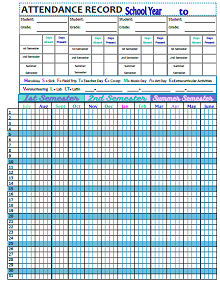
Employee Attendance Record
PDF
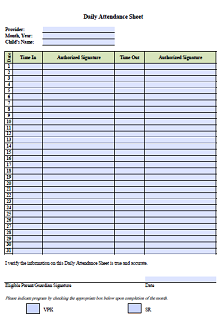
Daily Attendance Sheet
PDF

Employee Absence Tracking
XLSX
Employee Attendance Tracker
XLSX
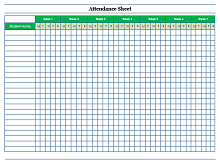
Employee Attendance Sheet
DOCX
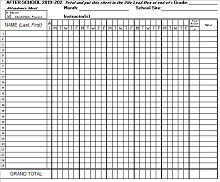
Attendance Tracking Sheet
XLS
📅 Monthly & Annual Attendance Templates
These monthly and annual formats give you a full-year view of attendance patterns, vacation usage, and absence trends in a single spreadsheet. Ideal for HR teams doing quarterly or annual reviews.
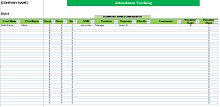
Monthly Attendance Report
XLS
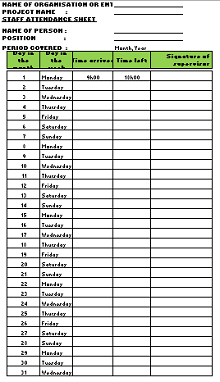
Employee Annual Attendance Sheet
XLS
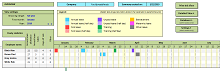
Weekly Attendance Time Sheet
XLSX
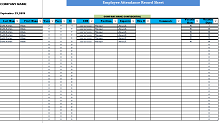
Daily Attendance Template
XLS
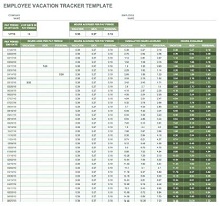
Employee Vacation Tracker
PDF
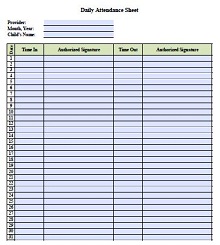
Daily Attendance Record Sheet
PDF
What Is an Employee Attendance Tracker?
An employee attendance tracker is a document used to record and monitor employee presence, absence, leaves, and tardiness over a set period. Think of it as a single source of truth for your team’s attendance data. Instead of relying on memory or piecing together records from different systems, a well-maintained tracker tells you at a glance who was in, who was out, and whether patterns are starting to emerge that need addressing.
Most trackers are set up in Excel or Google Sheets because the spreadsheet format handles date ranges and summary formulas naturally. A good template comes pre-formatted with employee name rows, date columns, and status codes for present, absent, late, and on leave — so you’re entering data rather than building the structure from scratch every month.
Key Elements of a Good Attendance Tracker Template
- Employee name and ID column: Each row represents one employee, making it easy to filter or sort by individual when you need to pull someone’s record.
- Date-based columns: One column per day across the top so the full month or week fits on a single view without scrolling sideways endlessly.
- Status codes: P for present, A for absent, L for leave, T for tardy — consistent codes make monthly summaries fast and accurate.
- Totals row: Automatic count of absences, late arrivals, and leave days per employee so managers don’t have to count manually at the end of the month.
- Leave type breakdown: Separate tracking for sick leave, vacation days, and unpaid leave so HR can monitor each type independently.
- Department filter: Useful for larger teams where managers only need to see their own department’s data without scrolling through the entire company roster.
Types of Attendance Tracker Templates
1. School Attendance Template
Designed for classrooms where the teacher marks each student present or absent on a daily basis. These typically run for a full academic year and include a column for each school day, with summary totals at the end of each month. A primary school teacher tracking attendance for thirty students across nine months is the classic use case.
2. Business Attendance Template
Used by HR departments and team managers to track employee presence against working days, flagging absences that exceed policy thresholds. These often include columns for leave type, approval status, and carry-over days — all the fields an HR team needs for payroll reconciliation.
3. Meeting Attendance Template
A simple sign-in format used to record who attended a specific meeting, training session, or event. Each row is a participant name with a date column and a signature or checkbox. Works well for compliance purposes where attendance at a required training needs to be documented.
4. Training Attendance Template
Similar to the meeting format but designed for multi-session training programs. Each column represents a session date so you can track which employees completed all sessions versus those who missed one or more. Useful for onboarding programs or compliance certifications that require full attendance.
How to Set Up an Attendance Tracker in Excel
- Download a template above: Pick the format that matches your tracking period — daily, weekly, or monthly.
- Add your employee list: Replace the placeholder names with your actual employee names and IDs in the first column.
- Set your date range: Update the column headers with the actual dates for your tracking period.
- Define your status codes: Decide on your abbreviations (P, A, L, T) and add a key somewhere visible on the sheet so anyone using it stays consistent.
- Enter data daily: Assign someone to update the tracker at the end of each day rather than trying to reconstruct a week’s worth of attendance on Friday afternoon.
- Review monthly totals: Use the summary row to flag employees approaching absence thresholds before it becomes a formal HR issue.
Benefits of Using an Attendance Tracker
- Increases productivity: When employees know attendance is being tracked consistently, punctuality tends to improve without any additional intervention.
- Supports performance management: Attendance data gives managers concrete evidence when addressing recurring absences rather than relying on anecdotal recollections.
- Simplifies payroll: Accurate leave and absence records make it easier to reconcile hours worked with what gets paid, reducing disputes and errors.
- Identifies patterns early: Seeing that three employees on the same team are frequently absent on Mondays is the kind of pattern a tracker surfaces before it becomes a management problem.
Frequently Asked Questions
What is the best format for an attendance tracker?
Excel and Google Sheets are the most practical formats because they handle date ranges, formulas, and sorting natively. For small teams or single-session events, a PDF sign-in sheet works just fine. For anything involving monthly summaries or leave calculations, a spreadsheet format is the better choice.
How do I track attendance for a large team?
Use a template that includes a department column so you can filter by team. For teams over fifty people, consider splitting the tracker into separate tabs by department rather than maintaining one enormous sheet that becomes difficult to navigate.
Can I use these templates for school attendance?
Yes. The daily and weekly formats work well for classroom attendance. Replace the employee name column with student names, update the date columns to match your school calendar, and the structure works exactly the same way.
Are these templates free to download?
Yes, every template on this page is completely free. Click the download button on any template above, choose your preferred format, and it downloads straight to your device with no account or payment required.